Operational KPI Dashboard Design for Property Teams
operational kpi dashboardproperty management metricsdashboard designletting agent KPIsblock management reporting
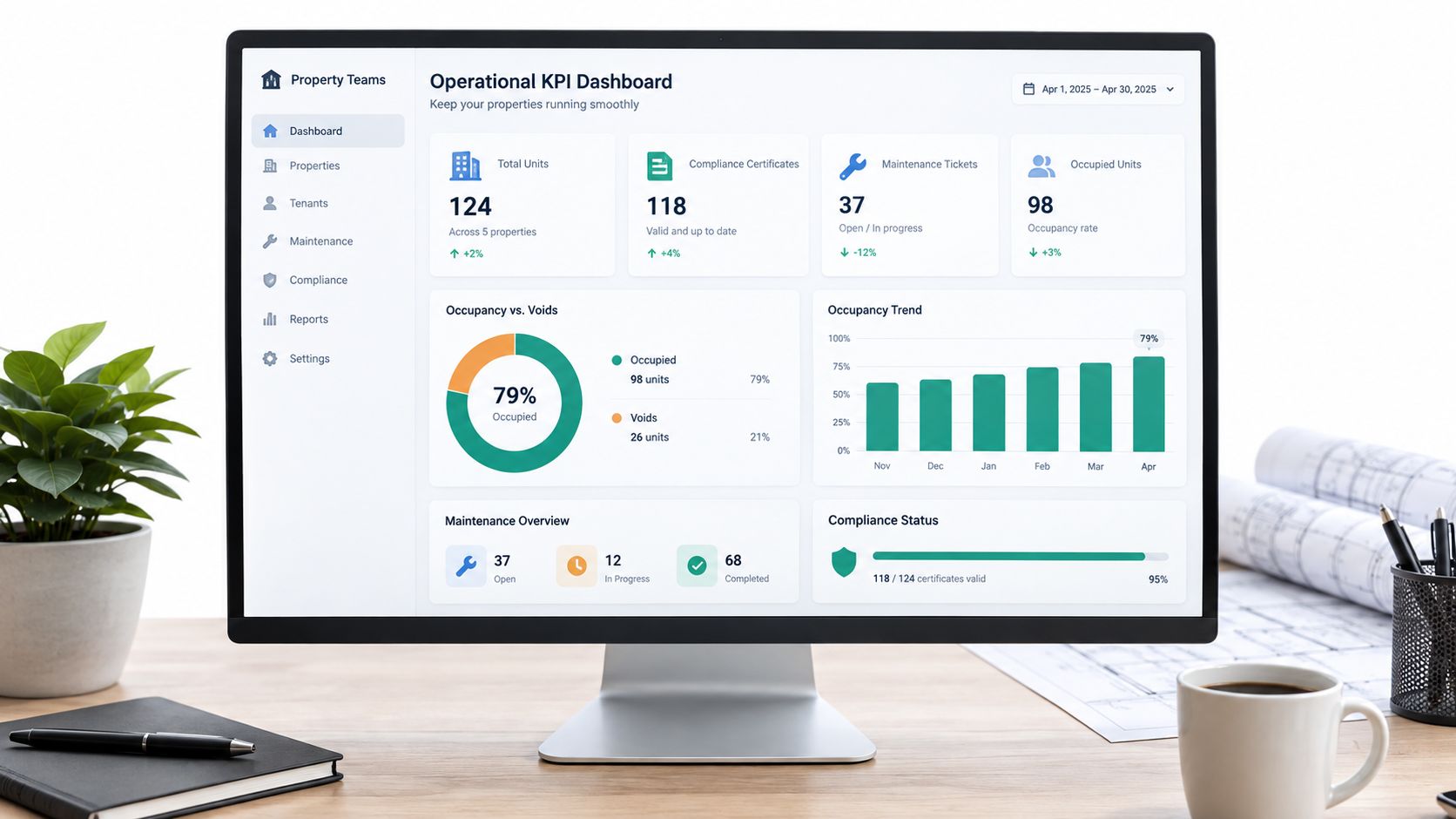
At 8:40 on Tuesday morning, a landlord flags a missed Gas Safe certificate while three negotiators share an inbox, a tenant is still chasing the damp report they sent on Friday, and the operations lead is due in a compliance meeting at 10. The branch manages 412 units, two PCs are misbehaving, and the maintenance log lives partly in Fixflo and partly in an email folder.
Nobody is being careless. The business has outgrown the way information moves through it. The MD wants numbers, but pulling them together means asking three people to stop dealing with tenants, contractors and landlords.
Table of Contents
- A Tuesday Morning in a Growing Property Business
- What's Actually Causing the Chaos
- What an Operational KPI Dashboard Actually Does
- The Metrics That Matter on One Page
- Three Dashboard Layouts for Three Property Models
- Connecting the Dashboard to Reapit, Alto, Fixflo, Arthur and Qube
- What a Dashboard Won't Fix and When It's the Wrong Tool
- What to Look at First in Your Own Operation
A Tuesday Morning in a Growing Property Business
The visible problem is a busy inbox. The underlying problem is that nobody has a reliable view of what needs attention today, who owns it, and whether it has moved.
A certificate can sit in a shared drive while the tenancy record sits in Reapit or Alto. A repair can be logged in Fixflo, discussed in an email thread, and then mentioned again in a team chat. The negotiator assumes the property manager has picked it up. The property manager assumes the negotiator is still speaking to the landlord.
That pattern is familiar in letting agencies, block management firms and serviced accommodation businesses. The software is there. Reapit, Alto, Fixflo, Arthur and Qube may all be doing their individual jobs. The difficulty sits between them.
Practical rule: A dashboard should show the state of the operation, not just the history of the business.
The regulator performance monitoring dashboard published by the UK government is a useful public-sector example of this direction. It consolidates KPI data from 16 key regulators into one place and is published quarterly as part of the Regulatory Action Plan. That isn't a property-specific template, but it demonstrates the value of a shared view, standardised measures and a regular refresh for scrutiny and accountability. UK government regulator performance monitoring
For a property business, the equivalent view might show managed doors, vacant units, certificates approaching expiry, open maintenance jobs, client money exceptions, tenancy progression and unassigned tasks. It shouldn't replace Reapit, Alto, Fixflo, Arthur or Qube. It should make the gaps between them visible before a landlord or tenant finds them.
What's Actually Causing the Chaos
The chaos usually starts with a handoff. One person creates an event in one system, another person acts in a different system, and nobody records the transfer clearly.
Compliance certificates might be held in a property platform, a shared folder and a spreadsheet. Maintenance status may be split between Fixflo, email and a contractor's own update. Tenancy progression may still be marked on a whiteboard because that feels quicker than updating the formal record. Client money may be reconciled weekly, leaving the team to work from an incomplete position during the week.
The missing owner is usually the real failure
A certificate expires, the source system knows, and an alert exists. But who owns the next action? Is it the property manager, the compliance administrator, the contractor, or the person who manages the landlord relationship?
The same question applies to a void. Who owns it from notice received through inspection, works, marketing, viewing, offer and move-in? In block management, who owns a service charge invoice that remains unpaid or a Section 20 process waiting for a document? In client money, who signs off the deposit release?
If the answer changes depending on who happens to be in the office, the process isn't controlled.
The lag sits between event and action
A dashboard can't remove every delay, but it can expose the time between an event and a meaningful action. That might be the time from a tenant's maintenance email to a logged job, from a certificate alert to an arranged inspection, or from a rent payment to a reconciled landlord statement.
UK public-sector dashboards increasingly present actuals against targets, trend arrows and RAG status. The weaker examples stop at reporting. A property operator needs the next layer, an exception queue, an owner and a defined handoff.
The operational handoff examples that matter are therefore not the prettiest charts. They're the ones that show an item is late, name the person responsible, and make the next action unambiguous.
What an Operational KPI Dashboard Actually Does
An operational KPI dashboard is a single working view of the current state of the business. It brings together the figures that affect today's decisions across doors, units, compliance, maintenance, tenancy progression and client money.
The car analogy is useful. The dashboard shows speed, fuel and warning lights. It doesn't drive the car, choose the route or repair the engine. Your team still decides what to do, and a person still approves communications or decisions that reach a tenant, landlord, regulator or contractor.
A monthly management report answers, “What happened last month?” That's useful for a board pack, landlord review or financial discussion. An operational dashboard answers, “What is happening now, what has gone off track, and who needs to act before close of play?”
Most UK property dashboards are reporting aids presented as operational tools. They show totals, charts and historical trends, but not always the queue of unresolved exceptions. A live count of open repairs is less useful than a list of repairs with no contractor acceptance, no owner or no recent update.
The design boundary should be explicit:
- Reporting view: summarises completed activity and supports periodic review.
- Operational view: shows current state, exceptions, ownership and the next decision.
- Workflow action: sends a task, drafts a message or updates a record, subject to human approval.
The NHS England digital data tools and management information dashboards show how different update cadences can serve different decisions. Some operational information needs frequent refreshes, while other measures suit longer-term review. The ONS UK Measures of National Well-being Dashboard has historically used quarterly updates and is moving to annual updates from June 2026, illustrating that refresh frequency should follow the decision, not the enthusiasm of the dashboard builder.
The Metrics That Matter on One Page
A property dashboard shouldn't become a wall of widgets. UK-focused guidance recommends limiting an operational KPI dashboard to 7–9 metrics, with each KPI paired with a current value, a trend line and a comparison against budget or the same period last year. UK dashboard guidance on KPI scope and comparisons
For a property business, the first page should cover the areas that create service risk, cash pressure or landlord dissatisfaction. The threshold isn't a universal industry number. It should be agreed with the person who will act on it.
| Metric group | Headline KPI | Action threshold | What it tells the operator |
|---|---|---|---|
| Occupancy and voids | Average void days, trailing period | Any movement above the agreed operating target | Whether re-letting speed is slipping, and where the blockage sits |
| Compliance | Certificates due soon or missing | Any item inside the agreed review window without an owner | Whether a compliance date is becoming an operational task |
| Maintenance | Open jobs without contractor acceptance | Any job with no accepted next step | Whether requests are progressing or sitting between inboxes |
| Client money | Unreconciled or exception transactions | Any unexplained difference at review | Whether the ledger can support the next landlord or client report |
| Tenancy progression | Tenancies stalled at a stage | Any application, referencing or move-in task past its agreed stage time | Where income is being delayed by a handoff |
| Team load | Unassigned or overdue tasks by owner | Any queue above the agreed capacity | Whether work is fairly distributed or hidden in personal inboxes |
| Customer service | Tenant or landlord messages awaiting response | Any message outside the team's agreed response standard | Whether the business is meeting its service promise |
The key is to pair each headline KPI with an exception list. “Compliance due” is a count. “Three certificates due, two unassigned and one missing landlord approval” is something an operations lead can act on.
Finance teams in UK SMEs often track debtor days, creditor days, gross margin percentage, EBITDA, EBITDA margin, cash runway and revenue per employee. A UK management accounts guide gives example target ranges including debtor days under 30, creditor days of 30–45, EBITDA margin of 10–20%, cash runway above 6 months, and revenue per employee of £100k–£200k+. Those figures may help with a finance dashboard, but they shouldn't crowd out a property operations page where the immediate issue is a void, a missed renewal or an unallocated repair.
If a KPI doesn't change a decision or a conversation this week, it doesn't belong on the first page.
Three Dashboard Layouts for Three Property Models
A letting agent, a block manager and a serviced accommodation operator don't run the same day. Giving all three the same dashboard creates a tidy view that hides the pressure point.
The page structure can stay familiar. A top strip shows live status, the middle band shows movement over time, and the lower section holds the exception queue. The contents and refresh rate must reflect the operating model.
| Business model | Headline KPIs | Source systems | Refresh cadence |
|---|---|---|---|
| High-street letting agent | Void days, tenancy progression, certificate status, open maintenance, rent exceptions | Reapit or Alto, Fixflo or Arthur, finance ledger, spreadsheets | Daily for managed money and compliance, more frequent where an active workflow requires it |
| Block or estate manager | Units with outstanding actions, service charge position, maintenance backlog, contractor progress, compliance records | Qube, Arthur or Fixflo, finance ledger, client reporting spreadsheets | Daily for managed money and compliance, weekly for managed client reporting |
| Serviced accommodation operator | Booking status, occupancy, nightly yield, turnaround queue, maintenance exceptions, guest response queue | Channel manager, booking platform, housekeeping records, maintenance log | Hourly for short-stay bookings, with daily operational review |
Letting agent
The top strip should show current voids, tenancies stalled in progression and compliance items requiring ownership. The middle band can show re-let speed and maintenance movement. The bottom should list the properties needing a decision, such as landlord approval, contractor attendance or a missing document.
Block or estate manager
The block view needs to put units and communal assets first. Service charge drawdown, outstanding works, compliance actions and contractor progress belong above individual communication measures. Qube may hold the financial and block data, while Fixflo or Arthur may hold maintenance and compliance activity.
Serviced accommodation operator
The short-stay view must move faster. The top strip should show today's arrivals, departures, unresolved guest issues and rooms awaiting turnaround. The middle band should show booking movement and nightly yield. The exception queue should identify properties where housekeeping, maintenance or guest communication could affect the next arrival.
A shared template fails because it treats a door, a leasehold unit and a booking as interchangeable records. They aren't. The letting agent cares about re-let speed, the block manager cares about service charge drawdown, and the serviced accommodation operator cares about nightly yield and turnaround.
Connecting the Dashboard to Reapit, Alto, Fixflo, Arthur and Qube
Every KPI needs three things before it belongs on the page: a source system, a key that links it to the property or unit, and a refresh cadence that the team can maintain.
For a letting business, Reapit or Alto may provide tenancy, property and rent ledger information. Fixflo or Arthur may hold maintenance and compliance activity. A block management operation may use Qube for service charge and unit information, with another platform handling repairs. Spreadsheets often remain part of client reporting, even when everyone would prefer otherwise.
The important point is not to pretend these records are already one dataset. Most integrations between property platforms are not native, so the connection may require a middleware layer or a carefully controlled export routine. The dashboard should identify the source and timestamp for every figure.
Build the data map before the visual layer
A simple mapping table should define:
- Source system: Reapit, Alto, Fixflo, Arthur, Qube, a finance ledger or a named spreadsheet.
- Primary key: Property reference, tenancy reference, unit reference, job reference or transaction reference.
- Refresh cadence: Hourly, daily, weekly or triggered by a controlled export.
- Data owner: The person responsible for correcting the source record.
- Exception rule: What happens when a record is missing, duplicated, stale or inconsistent.
A property reference may join a tenancy record to a maintenance job. A unit reference may link Qube to a service charge action. Without a stable key, the dashboard can count the same property twice or attach a repair to the wrong unit.
Data quality controls are part of the operational design. UK dashboard practice recommends automated checks for missing values, out-of-range anomalies, broken feeds and freshness indicators, with monthly review of completeness, accuracy, timeliness and consistency. Guidance on live dashboard data quality controls
Keep approval outside the automation
A nightly reconciliation against the rent ledger can flag a mismatch. It shouldn't alter the ledger. A dashboard can draft an email about a certificate or a delayed repair, but a person must review and approve anything sent to a tenant, landlord or regulator.
The same applies to client reporting. The person responsible should manually sign off any figure that leaves the dashboard in an email, landlord pack or regulatory submission. This isn't a failure of automation. It's sensible control over consequential information.
The system integration approach for property operations is usually incremental. Start with one workflow where the source, owner and action are clear. Add the next system only when the first connection is trusted. Most projects fail when the team builds a polished screen before deciding which record is authoritative.
What a Dashboard Won't Fix and When It's the Wrong Tool
A dashboard won't decide whether a negotiator or property manager owns a task. It won't make a contractor attend, recover rent without a chasing cadence, replace a compliance calendar or teach a team to interpret a trend.
It also won't repair poor source data. Layering AI over inconsistent records can make the mess more expensive because the system produces faster summaries from information nobody trusts. An automated draft based on a wrong certificate date is still wrong, even if the wording is excellent.
Doing nothing can be sensible. A four-unit landlord doesn't need an operational KPI dashboard. A single spreadsheet run properly by an office manager may be better than a £40k platform rollout during the first 18 months, particularly when the business hasn't agreed what the dashboard is meant to change.
The alternatives deserve an honest comparison
Hiring another administrator may help if the work is additional and clearly defined. It won't help if the existing team still has no shared ownership or if the same information must be rekeyed across several platforms.
Switching platform can be justified when the current system blocks a critical process. It shouldn't be the first response to a broken handoff. A new platform can move the confusion into a new interface.
ChatGPT can help draft a tenant response, summarise a repair thread or turn notes into a task list. It isn't a controlled operational record, and it shouldn't make unsupervised compliance or legal decisions. Any England and Wales requirement, including matters involving Section 20, deposits or safety certificates, should be confirmed with a solicitor or compliance adviser before the team relies on the process.
What to Look at First in Your Own Operation
You can diagnose a surprising amount without buying software. Use one week to trace where information starts, where it changes hands and where someone must make a decision.
- Count the certificates: Count the compliance certificates due in the next 60 days, then reconcile that list against the actual system record. Note expired, missing, duplicated and unassigned items.
- Time the maintenance handoff: Start when a maintenance email arrives and stop when the job is logged with a contractor. Record where the message waits and who has to move it.
- Trace one rent payment: Follow one payment from tenant receipt through reconciliation to the landlord bank statement. Mark every spreadsheet, ledger and approval involved.
Each check points to a different dashboard requirement. Certificate discrepancies call for a compliance exception view. Slow maintenance logging calls for a handoff metric. A difficult payment trace points towards reconciliation and client money controls.
The workflow automation tools guide can help you think through the process before choosing a build. You can also use a property operations scorecard as a tool to identify which workflow deserves attention first.
I build custom dashboards and connected workflow systems for letting agents, block managers and serviced accommodation operators, using the platforms they already run rather than asking them to replace everything. Visit InnovaAI Integration Ltd for a free discovery call to work out whether this is even a fit, and if it isn't, I'll say so on the call.