8 AI Systems Examples for Property Agencies
ai systems examplesproperty automationletting agency AIblock managementAI dashboards

Tuesday morning starts with the shared inbox. An 8pm tenant message is still waiting, a certificate renewal is sitting on the wall planner, and the maintenance queue is growing beside the spreadsheet someone keeps “just in case”.
That isn't a lazy team. It's a process with too many hand-offs and no visible owner. One person reads the inbox, another checks Fixflo, someone else updates Reapit or Alto, and a fourth chases a contractor through WhatsApp. By the time the information reaches the person who can act, the original context has often disappeared.
The practical answer isn't to buy an AI tool and hope it settles the backlog. It's to connect a system to the platforms you already run, including Reapit, Alto, Fixflo, Arthur and Qube, then give a named person authority to approve anything sent to a tenant, landlord or regulator.
These AI systems examples for property agencies focus on repeated operational queues. The useful starting point is the process you keep chasing, not the appeal of the technology.
Table of Contents
- How can tenant enquiry triage stop the shared inbox becoming the first job of the day?
- Can a compliance calendar stop certificate renewals being missed?
- How can maintenance triage get the right contractor to the right job?
- Can arrears tracking give the collections team earlier warning?
- How can tenancy progression keep renewals and end dates visible?
- Can service charge reconciliation reduce spreadsheet errors without removing judgement?
- How can a void turnaround system show what is holding up the next let?
- How can a portfolio dashboard show the numbers before an owner calls?
- Comparison of 8 Property Management AI Systems
- Start With the Process You Keep Chasing
How can tenant enquiry triage stop the shared inbox becoming the first job of the day?
A connected inbox system reads messages from email, SMS and your tenant portal, then sorts them by type and urgency. It can recognise a boiler fault, a reference request, a tenancy document request or a rent payment query, then prepare the next action using your existing templates and policies.
The important point is that the system doesn't send an answer to a tenant by itself. A team member reviews the draft, checks the property record, and approves the response. Genuine emergencies can be flagged to the on-call person immediately, while routine matters can receive an approved holding response and route information.
That changes the hand-off. Instead of asking someone to read every message and decide where it belongs, the team starts with a prioritised queue and a proposed response.

What should the first version handle?
Start with the ten enquiry types that arrive most often. Keep the templates already approved by your business, and let the system wrap around them rather than forcing the team into a new writing style.
A sensible sequence is:
- Classify the message: Identify the property, tenancy, sender and likely enquiry type.
- Check urgency: Separate safety concerns from routine requests, with clear rules for escalation.
- Prepare the response: Use the relevant approved template and include only information supported by the property record.
- Request approval: A named staff member checks and releases anything tenant-facing.
- Record the action: Save the message, decision and follow-up task in the existing platform.
The first fortnight will expose poor categories and inconsistent templates. That's useful, provided one person reviews flagged items every morning. Test it against a subset of properties before expanding across the portfolio.
The system can sit alongside Reapit, Alto or Fixflo. It isn't a replacement for any of them. For a broader view of where agents use this type of workflow, see these AI agent use cases for property operations.
Can a compliance calendar stop certificate renewals being missed?
A wall planner only works when somebody checks it, understands which document applies to which property, and remembers the correct lead time. A connected compliance system turns those dates into owned tasks linked to the relevant property record.
It can bring together information for Gas Safety, EPCs, electrical checks, fire safety, legionella, asbestos and access requirements, depending on the assets and services you manage. The system identifies upcoming dates, sends reminders to the assigned person, and shows what remains outstanding.
It must not decide whether a property is legally compliant. A qualified contractor, surveyor or compliance adviser confirms the work and supplies the certificate. Your team then checks the document, approves the record and deals with any issue that requires judgement.
Practical rule: The system can remind, route and evidence the task. It can't replace the person who confirms what the property requires.
Where does the control sit?
The control sits in the data and ownership. If the property record is wrong, the reminder will be wrong. Before building anything, clean the addresses, asset types, tenancy status, document dates and responsible staff in your existing platform.
Start with the areas that create the greatest operational exposure for your business. Gas Safety may be the first priority for lettings. Fire systems and major works may matter more in blocks. Your Propertymark, ARLA, IRPM or RICS guidance and your compliance adviser should confirm the workflow and timing that apply to your operation in England and Wales.
The day-to-day process can then work like this:
- Read the property record: Match the asset to its documents and responsible owner.
- Calculate the next task: Use the confirmed expiry or review date.
- Send staged reminders: Route tasks to the right person before the deadline.
- Hold for approval: Staff verify the work and certificate before closing the task.
- Create an audit trail: Keep the document, approval and follow-up history together.
This doesn't fix missing documents, poor contractor performance or unclear responsibility. It makes those failures visible early enough for a person to act.

How can maintenance triage get the right contractor to the right job?
Maintenance requests often arrive as descriptions rather than usable job instructions. “Heating isn't working” could mean a boiler fault, a programmer issue, a gas concern or a tenant who hasn't checked the thermostat. Someone still has to interpret it, assign urgency and choose the trade.
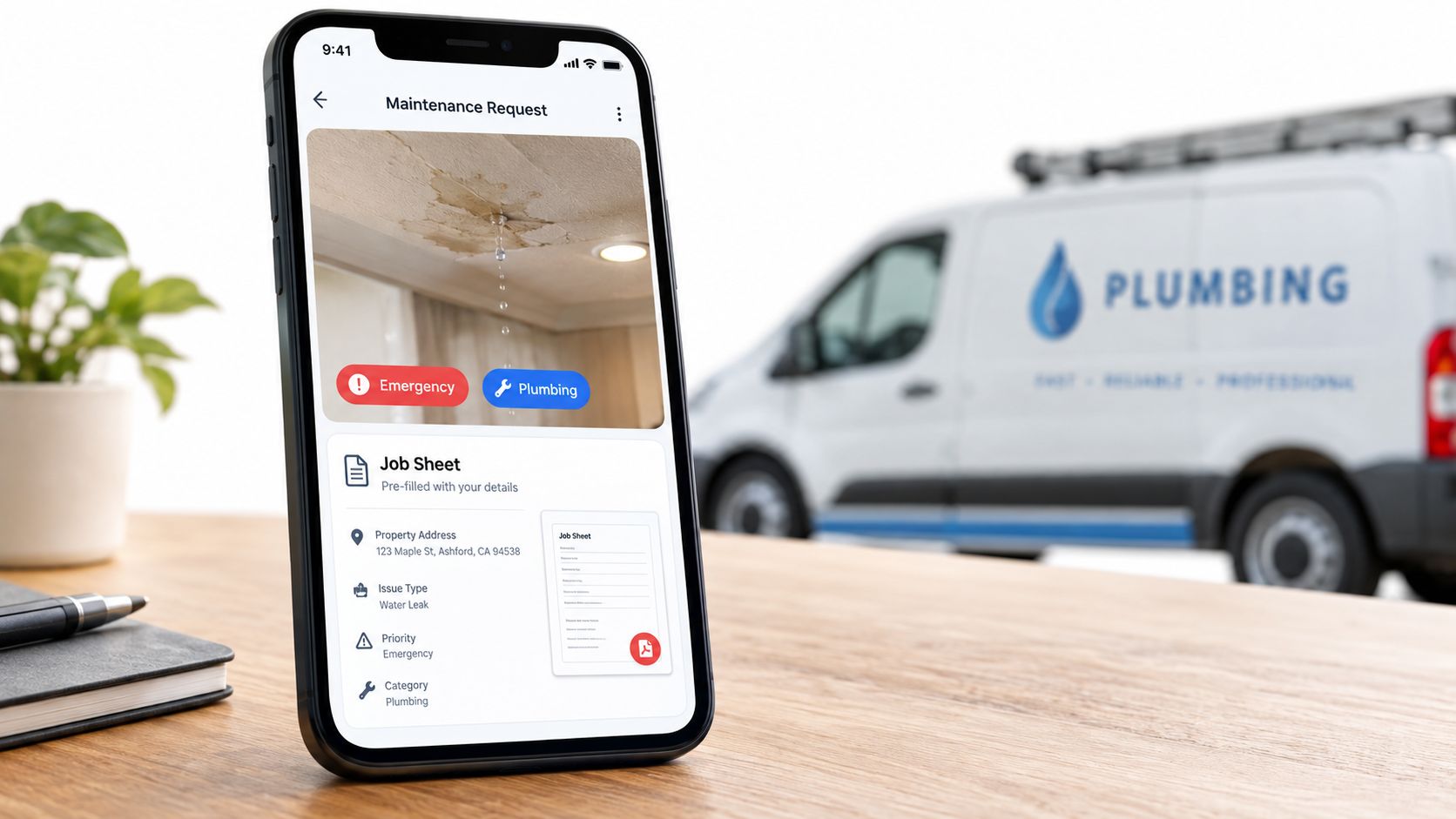
A connected triage system reads the request from Fixflo, Arthur or your portal, links it to the property, and proposes a priority and trade. It can prepare a job sheet with the tenant's description, images, previous work and access information. Your maintenance coordinator checks the proposal before any instruction reaches the contractor or tenant.
That approval point matters. A system can identify language associated with flooding or electrical danger, but a human decides whether the situation meets your emergency threshold and what instruction is safe.
What information makes the routing useful?
Your contractor database needs accurate phone numbers, trade specialisms, availability and coverage. Old records create poor dispatch decisions, regardless of how well the classification works.
Use three practical categories at the start:
- Safety-critical: Potential danger, flooding, serious electrical concerns or loss of essential services.
- Same-day: Problems that need prompt attention but don't meet the emergency threshold.
- Routine: Issues that can enter the normal contractor queue.
Load historic maintenance descriptions only after removing irrelevant or sensitive material and checking that the categories reflect how your team really works. Contractors should receive a clear job sheet, not a vague summary generated from a message.
Track callbacks and first-visit failures during the pilot. If the same wording is repeatedly misclassified, improve the category rules and the form questions. The system won't repair a poor repairs policy, an unavailable contractor network or a tenant who provides no access. It removes the manual translation between a message and a job that someone can action.
You can see how this fits into workflow automation services for property teams, provided the existing maintenance records are usable.
Can arrears tracking give the collections team earlier warning?
Arrears work is often a daily scan of accounts, followed by a judgement about who needs a call and who needs formal action. That scan becomes harder when rent, service charges, company lets, guaranteed rent arrangements and freeholder accounts sit in different places.
A connected system reads the figures from Reapit, Alto or Arthur, checks the due dates, and produces a daily list ordered by position and pattern. It can distinguish a single missed payment from repeated slippage, but it shouldn't decide what collection action is lawful or commercially appropriate.
The collections team reviews the list, verifies the account and chooses the next step. That might be a courtesy call, a payment-plan conversation, a formal letter or referral to recovery. A compliance adviser or solicitor should confirm how the relevant tenancy, lease and recovery process applies in England and Wales.
Early warning is useful. Automated legal escalation isn't a sensible starting point.
What should the morning list show?
A useful list explains why an account is present, not just that it has a balance. It should show the property, account type, due date, payment history, contact history and any known arrangement. Complex accounts need a clear flag for human review.
- Check source data: Confirm rent loads, service charge dates and account statuses in the platform.
- Prioritise patterns: Separate new missed payments from repeated or worsening arrears.
- Assign an action: Give the collections team a defined next step for each account.
- Approve contact: A staff member checks the facts before calling or writing.
- Record the outcome: Save contact, promise, payment and escalation decisions.
Monthly write-off reviews can reveal operational patterns, such as recurring problems on one block or with one type of account. The system won't make a tenant pay, correct a broken direct debit or resolve a dispute about charges. It gives the team a reliable starting point instead of four hundred manual checks.
How can tenancy progression keep renewals and end dates visible?
Tenancy progression fails when dates live in Reapit, Alto and a spreadsheet at the same time. A renewal window gets missed, a reference isn't requested, or a deposit task appears only when somebody is already dealing with the next move.
A lifecycle system brings the tenancy dates into one task sequence. It can flag an approaching end date, identify missing references, prompt deposit checks and prepare a renewal task list for the lettings team. It can also highlight a tenancy that may move into a periodic arrangement, but it must not make a legal decision or issue a notice without appropriate human and legal review.
The team member checks the tenancy record, landlord instruction, lease terms and applicable requirements. A solicitor or compliance adviser should confirm the correct process for the circumstances. The system's role is to show what needs attention and who owns it.
What does a workable progression queue contain?
Start with the records already held in your platform. Clean old end dates first, then define the renewal window your business uses. Don't build a complicated decision tree before the team has agreed the basic sequence.
- Open the workflow: Use the confirmed tenancy end date to create tasks.
- Check prerequisites: Request references, review the deposit record and identify missing information.
- Prepare options: Give the team the relevant landlord and tenancy details.
- Hold legal steps: Require approval for notices, renewals and anything with legal effect.
- Review exceptions: Examine periodic tenancies and incomplete files at a regular management meeting.
The same thinking works for serviced accommodation, where occupancy windows, pre-checkout checks, deposit claims and turnaround tasks need to connect to the channel manager. It doesn't replace the judgement involved in landlord instructions, deposit disputes or regulatory changes.
Can service charge reconciliation reduce spreadsheet errors without removing judgement?
Service charge calculations are a poor place for blind automation. The source data can be inconsistent, leases can use different apportionment methods, and a new cost code may need an explanation before it belongs in a schedule.
A properly controlled system pulls annual costs such as insurance, maintenance, utilities, management and reserve funds from the records you already maintain. It applies the apportionment method already confirmed from the lease or by a qualified adviser, then flags unusual values, duplicate charges and unexplained changes.
The output is a draft schedule for review. A managing agent, surveyor or other qualified person confirms the allocation before invoices are created. A solicitor or compliance adviser should confirm how the lease terms and relevant requirements apply. The system must never invent an apportionment rule because the spreadsheet appears to use one.
How should an owner test the calculation?
Run the system against a previous year's costs and compare it with the approved manual schedule. That test should include a block with straightforward allocations and another with exceptions. Investigate every difference rather than accepting a close total.
- Confirm the rule: Take each apportionment percentage from the lease or adviser.
- Load the costs: Keep insurance, repairs, utilities and management codes identifiable.
- Flag anomalies: Send duplicate, new or out-of-range entries to a person.
- Approve the schedule: Require review before leaseholder billing.
- Explain the result: Use a clear calculation summary in the annual communication.
A clean calculation can reduce avoidable queries because the figures and method are easier to explain. It won't settle a lease interpretation, decide whether a cost is recoverable or remove the need for proper consultation. Those are approval points, not data-processing tasks.
How can a void turnaround system show what is holding up the next let?
A void is a chain of dependencies. The outgoing tenant leaves, the inspection identifies work, contractors need access, cleaning follows repairs, and marketing depends on a realistic ready date. WhatsApp and post-it notes hide which item is delaying the property.
A connected void system starts with the move-out date, condition report, dilapidations list and agreed repairs. It tracks each outstanding item, estimates a completion date from the work sequence, and alerts the team when photography, listing or viewings can begin.
The system shouldn't decide which repairs are essential or whether a cost belongs in a deposit claim. That requires a dilapidations conversation, tenancy evidence and appropriate review. Your team approves the scope, and a solicitor or compliance adviser should confirm any legal issue.
Where does the forecast become useful?
The forecast is useful when it identifies the next blocker. If a plumber is waiting for access, or cleaning can't start until decoration is complete, the owner sees the dependency rather than another general “void update”.
- Separate work types: Distinguish safety issues, leaks and break-ins from cleaning and cosmetic work.
- Use trade estimates: Base expected durations on contractor input, not optimism.
- Update completion dates: Recalculate when an item is delayed or signed off.
- Approve lettability: A person confirms that the property is ready to market and occupy.
- Review actuals: Compare forecast and real turnaround to improve future planning.
For serviced accommodation, the same workflow can connect housekeeping, maintenance and the channel manager around the next booking. It won't make a poor property condition acceptable, create contractor capacity or override a required inspection. It shows the owner where the delay sits while there is still time to act.
How can a portfolio dashboard show the numbers before an owner calls?
Most owners don't need another report. They need one reliable view of occupancy, arrears, compliance, maintenance backlog, lettings progression, service charge variance and cash position, using definitions the team agrees.
A dashboard connected to Reapit, Alto, Arthur and Qube can refresh those figures from the systems already in use. It can prepare a weekly owner summary and highlight exceptions for management. The point isn't to make decisions automatically. It's to stop each manager presenting a different version of the portfolio.
The dashboard needs an owner for every metric. Someone must check whether an arrears figure excludes disputed charges, whether a compliance status means “certificate uploaded” or “work confirmed”, and whether a maintenance backlog includes jobs waiting for access.
Which measures belong on the first screen?
Start with five measures that drive your weekly decisions. A smaller dashboard with trusted definitions is better than a large screen full of unverified figures.
- Define each KPI: Write down the source, calculation, owner and update frequency.
- Reconcile the data: Compare the first version with a manual report before using it with owners.
- Set useful thresholds: Alert only when someone knows what action follows.
- Show exceptions: Put overdue, missing or worsening items where the manager can see them.
- Review weekly: The founder should challenge patterns and definitions, not just read the automated email.
Use the dashboard as a management meeting tool. If a block shows a maintenance backlog, the next conversation should cover access, contractor capacity and tenant communication. A chart alone won't fix any of those.
For a practical example of how operational measures can be consolidated, see this operational KPI dashboard guide.
Comparison of 8 Property Management AI Systems
| Solution | 🔄 Implementation complexity | ⚡ Resource requirements | 📊 Expected outcomes | 💡 Ideal use cases | ⭐ Key advantages |
|---|---|---|---|---|---|
| Tenant enquiry triage and first-response automation | 🔄 Moderate, 2–4 week setup, training & tuning | ⚡ Moderate, inbox & PM integrations, templates, daily reviewer | 📊 Faster holding replies (minutes); reduced morning backlog | 💡 High-message-volume lettings or block teams needing faster tenant replies | ⭐ Rapid triage, consistent drafts, integrates with existing systems |
| Compliance calendar and certificate renewal tracking | 🔄 Low–Moderate, data mapping and calendar setup | ⚡ Low, uses existing certificate data; needs initial data clean | 📊 Fewer missed renewals; staged reminders and audit trail | 💡 Portfolios with many statutory certificates (Gas, EPC, electrical) | ⭐ Prevents compliance breaches; timely reminders for renewals |
| Maintenance request triage and contractor dispatch | 🔄 Moderate, contractor DB, trade mapping & job templates | ⚡ Moderate, contractor data, historical jobs, human approval step | 📊 Faster emergency response; clearer job sheets; fewer no‑fault visits | 💡 High-volume maintenance operations (blocks, large portfolios) | ⭐ Accurate triage, faster dispatch, saves coordinator time |
| Rent and service charge arrears tracking with early intervention | 🔄 Low, accounting sync and arrears rules | ⚡ Low, daily data feed; requires collections team to act | 📊 Early detection of arrears; reduced legal escalations and write‑offs | 💡 Agencies wanting proactive collections and improved cashflow | ⭐ Prioritized daily lists; catches arrears before 30 days |
| Tenancy progression and renewal management | 🔄 Low–Moderate, tenancy ingest and task rule setup | ⚡ Low, needs accurate end‑dates and lettings team follow-up | 📊 Higher on-time renewals; fewer accidental periodic tenancies | 💡 Lettings teams managing many tenancy expiries | ⭐ Proactive tasking, reduces churn and missed renewals |
| Service charge calculation and reconciliation automation | 🔄 Moderate–High, apportionment rules & accounting integration | ⚡ Moderate, lease apportionments, accurate unit/share data, sign‑off | 📊 Fast reconciliation (hours vs days); near‑zero calculation errors | 💡 Block managers with complex multi‑unit service charges | ⭐ Accurate charges, anomalies flagged, audit‑ready calculations |
| Void property turnaround and lettability assessment | 🔄 Moderate, condition ingest, repair timelines & forecasting | ⚡ Moderate, condition reports, contractor time estimates, integrations | 📊 Predictable lettable dates; reduced void days and revenue loss | 💡 Teams focused on reducing days‑vacant and faster relets | ⭐ Early warnings, coordinates repairs and marketing |
| Portfolio reporting and KPI dashboard for owners and management | 🔄 Moderate, multi‑platform integrations and KPI config | ⚡ Moderate, ongoing data quality, integration maintenance | 📊 Consolidated daily KPIs; faster, evidence‑based decisions | 💡 Owners/managers needing a single source of truth across portfolios | ⭐ Transparent weekly reports, trend spotting and alerting |
Start With the Process You Keep Chasing
Don't begin by asking which AI product your agency should buy. Begin with the queue that appears every week, whether that's shared inbox triage, certificate renewals, maintenance, arrears, progression, service charges, voids or reporting.
Doing nothing may be the right choice if the process is irregular or the data is unreliable. Hiring may make sense if the work needs judgement, relationship management or additional capacity across the whole operation. Switching from Reapit, Alto, Fixflo, Arthur or Qube may be justified if the platform itself is failing you, but a new platform won't automatically correct poor ownership or duplicate spreadsheets.
ChatGPT can help an individual draft a message or summarise a document. It usually won't solve the underlying hand-off unless somebody connects it to property records, permissions, task ownership and approval. A connected workflow deserves consideration when the process repeats, the source data exists, and a named person can approve the output before it reaches a tenant, landlord or regulator.
The UK adoption picture supports a measured approach. The government's AI adoption research says around 1 in 6 UK businesses, or 16%, currently use at least one AI technology, while 5% have plans to adopt and 80% neither use nor plan to use it. Adoption is higher among larger businesses than micro businesses, which is a reminder that awareness isn't the same as embedded use.
The ONS reports that adoption among UK businesses with at least ten employees rose from around 12% in September 2023 to around 35% by July 2026, while the average number of technologies used by adopting businesses moved only from about 1.4 to 1.6 in the same period, as the ONS release explains. In plain terms, more businesses are trying AI, but many are still using standalone prompts rather than connected operating systems.
That distinction matters in property. The useful build is the one that starts with an existing record, creates a controlled task, gives a person a clear approval point and writes the outcome back where the team already works. The Ministry of Justice's AI evaluation framework takes the same operational view, requiring predefined measures such as accuracy, satisfaction and adoption, with ongoing assessment deciding whether a project should stop, change direction or scale.
Look first at the queue you personally chase every week, then map its source record, hand-offs, approval points and failure costs. If you're reviewing a letting agency workflow, block management process or serviced accommodation operation, the AI Readiness Scorecard is a practical tool for assessing opportunities and baseline costs. I offer a free discovery call through InnovaAI Integration Ltd to work out whether a connected system is a fit, and if it isn't, I'll say so on the call.
InnovaAI Integration Ltd builds custom AI agents, workflow automations and operational dashboards around the property platforms your team already uses. Visit InnovaAI Integration Ltd to discuss a specific backlog, approval process or reporting gap, with no assumption that AI is the answer.